585Atelier CRM

A simple CRM for a small jewelry workshop

Orders and repairs, clients, metal by purity, stones and finance in one file. No installation, no account, no cloud.

  • One HTML file
  • Works offline
  • Data stays on your computer
  • 22 languages
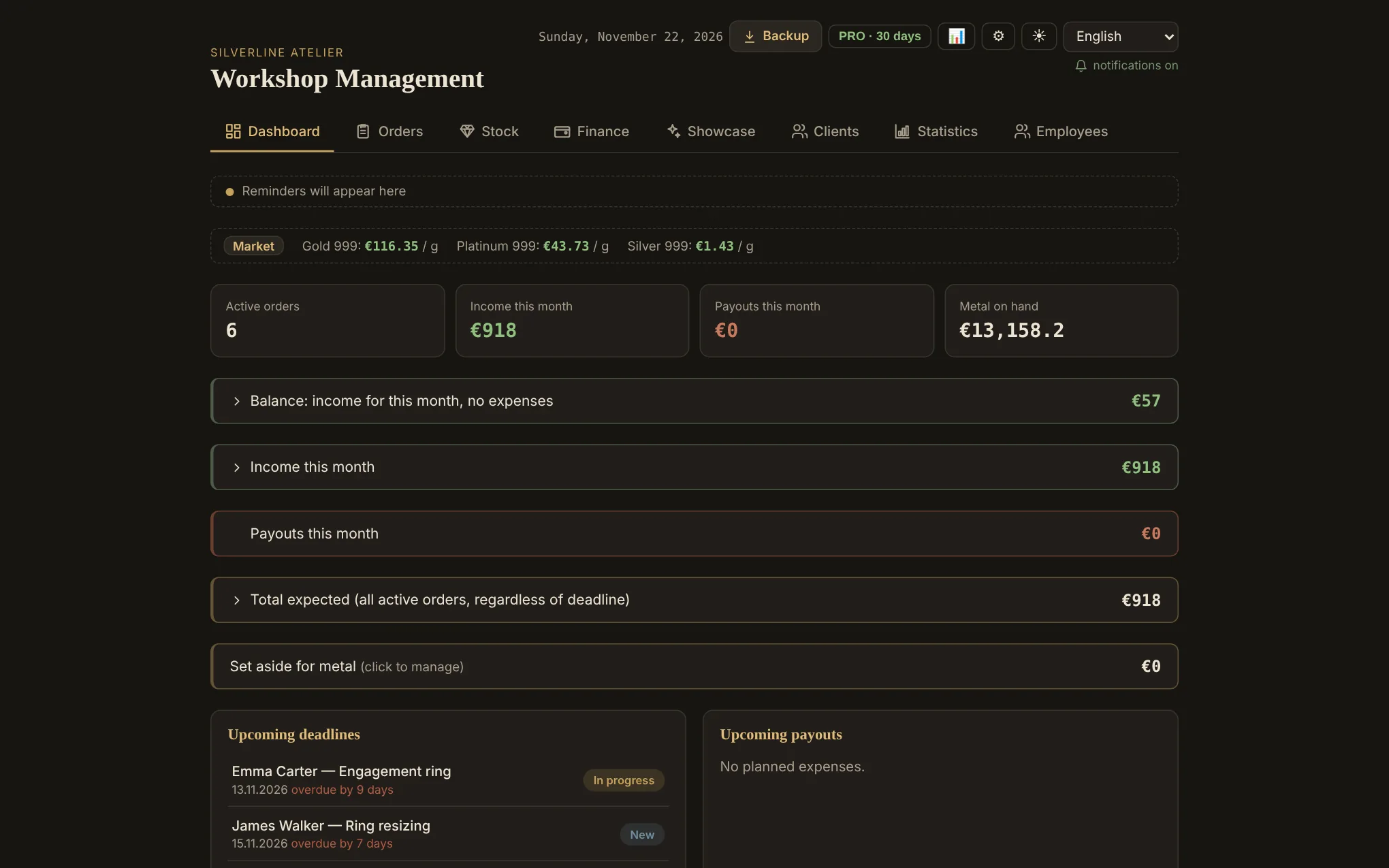
Dashboard with active orders, monthly income, live metal prices and upcoming deadlines
375585750925950 Metal is tracked by purity — or in karats, if that is how you count.

Made at a real bench

I run a small jewelry workshop. Every program I tried was built for big stores and factories, or priced and set up like corporate ERP.

None of them did what a small bench needs: repair tickets, custom orders, clients and, above all, metal by purity. So I built the one I wanted. Now other workshops can use it too.

Free to start. Pay only for the extras.

Core

Free forever
  • All features except those in the paid plans
  • Orders and repairs
  • Clients, stock, stones
  • Finance and statistics
  • Backups, 22 languages

Pro

$3 / month
  • Excel report of the workshop
  • Live metal prices
  • Notifications
  • Your own lines on the receipt
  • A dashboard you arrange yourself
  • or $30 a year — ten months for twelve

Employees

$5 / month per employee
  • Employees tab
  • Hand materials to staff and take them back
  • Separate subscription, one seat per employee
  • or $50 a year per employee

Every new installation starts with a 30-day trial with everything unlocked. After that the free features stay, and your data is never locked: export and backup always work. To subscribe, open License in the app and pay by card: the key arrives by itself and renews on its own, every month or once a year, whichever you pick. One subscription covers one installation, and you can cancel at any time.

Support, fixes and new versions are the same for everyone. The free part is not a trial that gets left behind: it receives every update the paid one does, and nothing is taken away later.

And the program is shaped at the bench. Write to support@atelier-crm.com about what is missing or what gets in the way, and it goes into the next version — that is how everything here was built.
What's inside

Orders and repairs

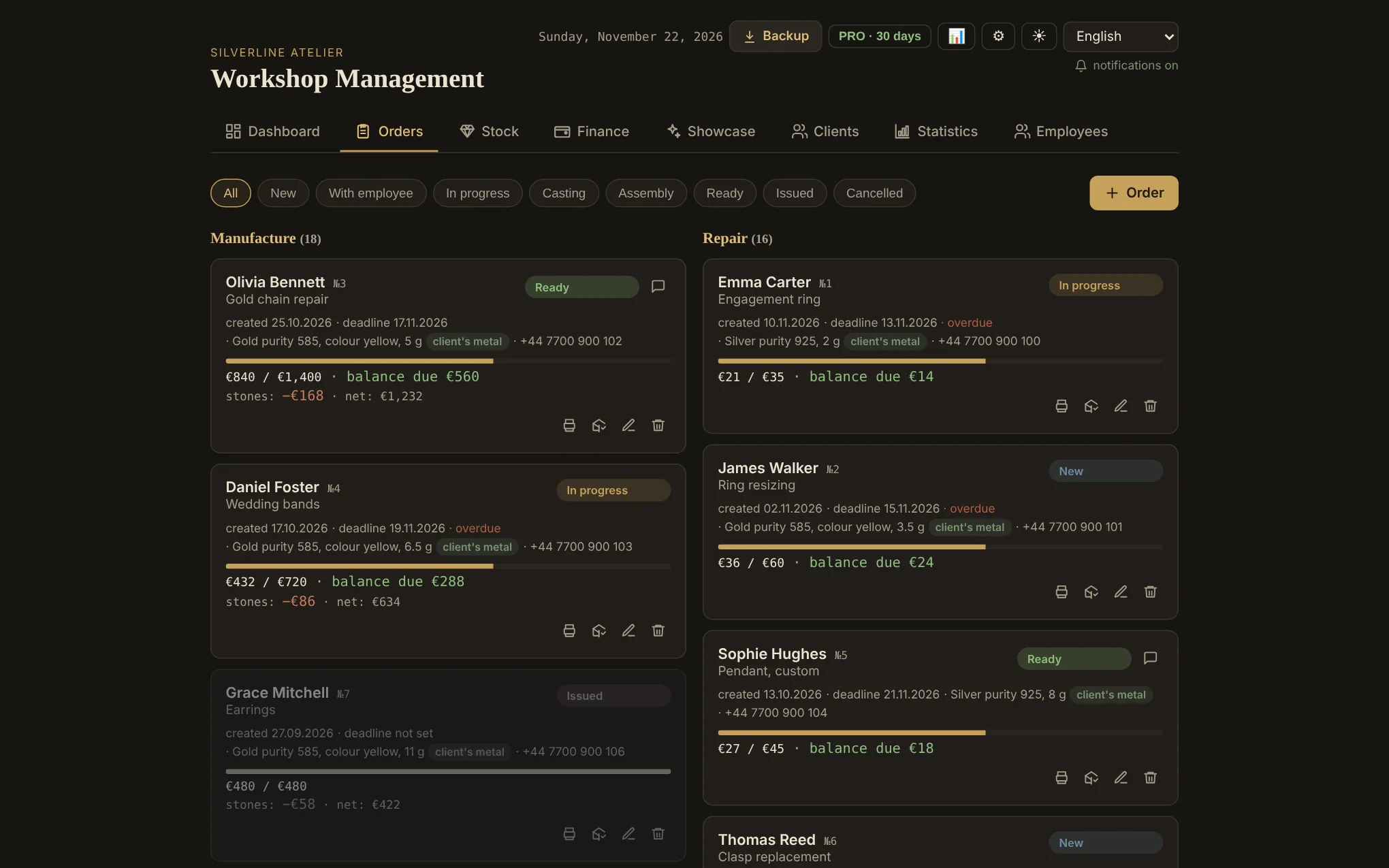
Two columns, one for manufacture and one for repairs. Deadlines, deposits, statuses and printable receipts. You see at once what is ready, what is late and what is still owed.

Orders list with manufacture and repair columns

Metal and live prices

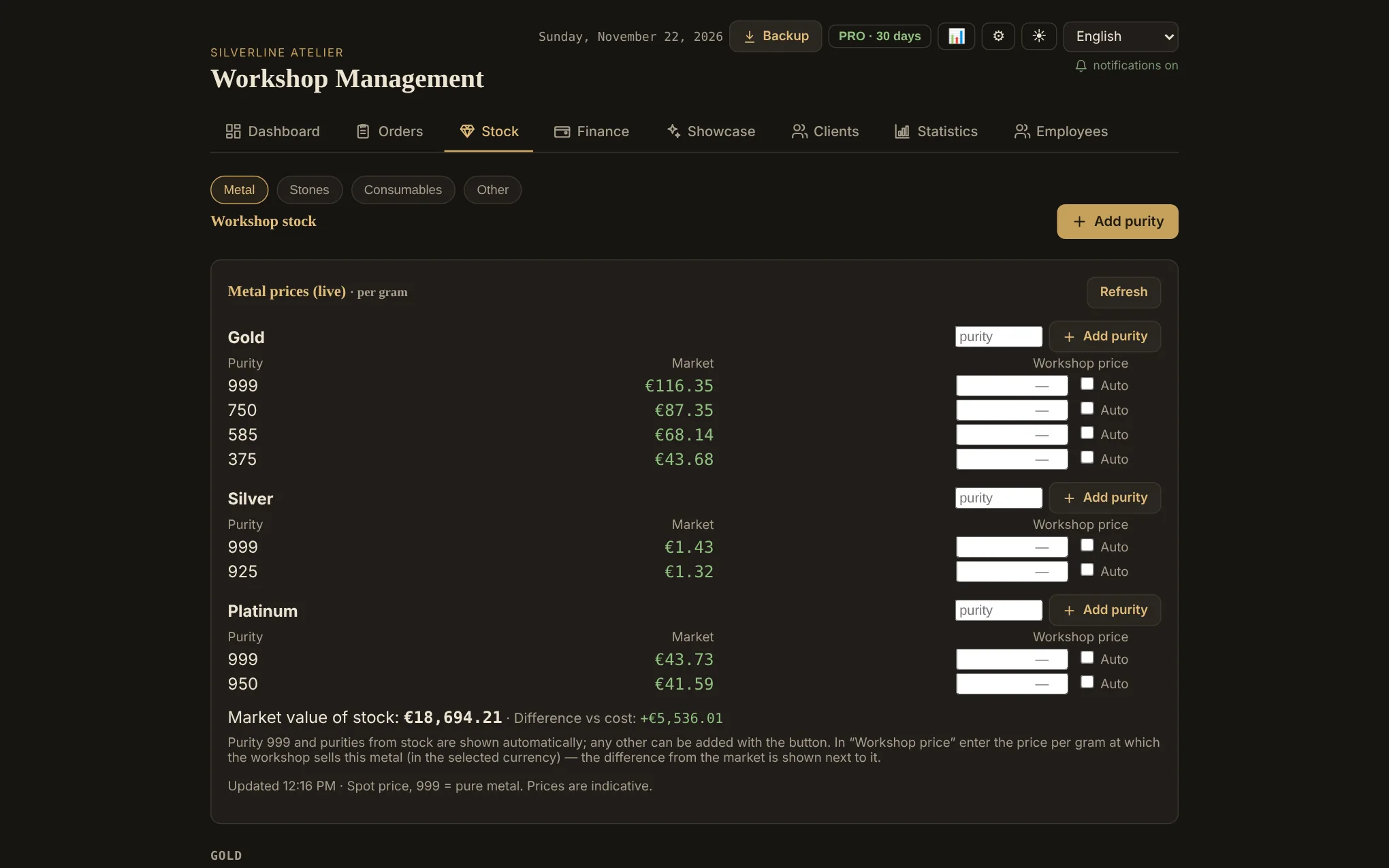
Stock by type and purity, metal in casting and with contractors, clients' own metal on hold. Live gold, silver and platinum prices in your currency, next to the price your workshop charges per gram.

Metal stock page with live gold, silver and platinum prices by purity

Clients who come back

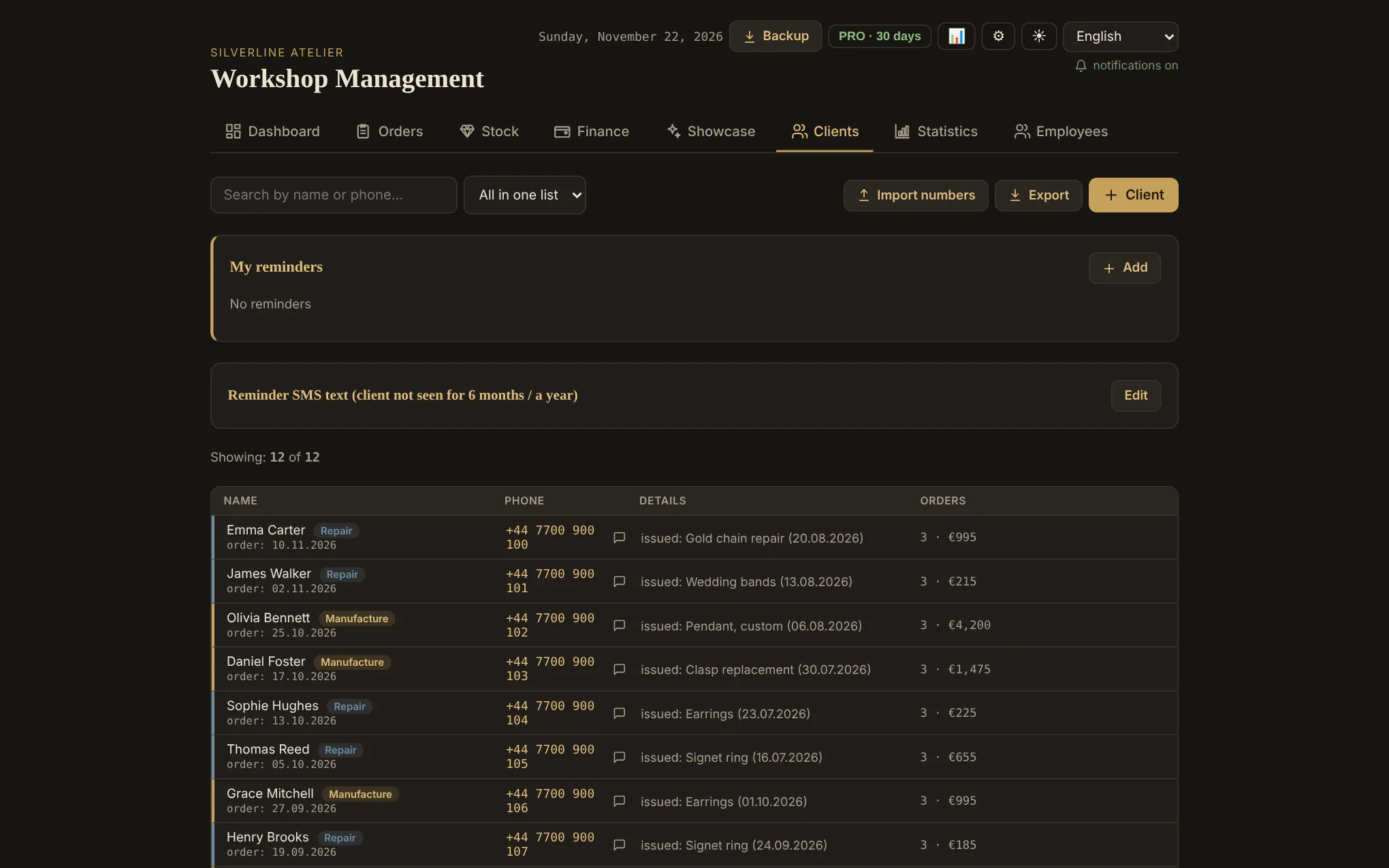
Visit history, reminders and ready-made SMS texts for people you have not seen in a year. Receipts and messages go out in the client's language.

Client list with visit history

Know where the month stands

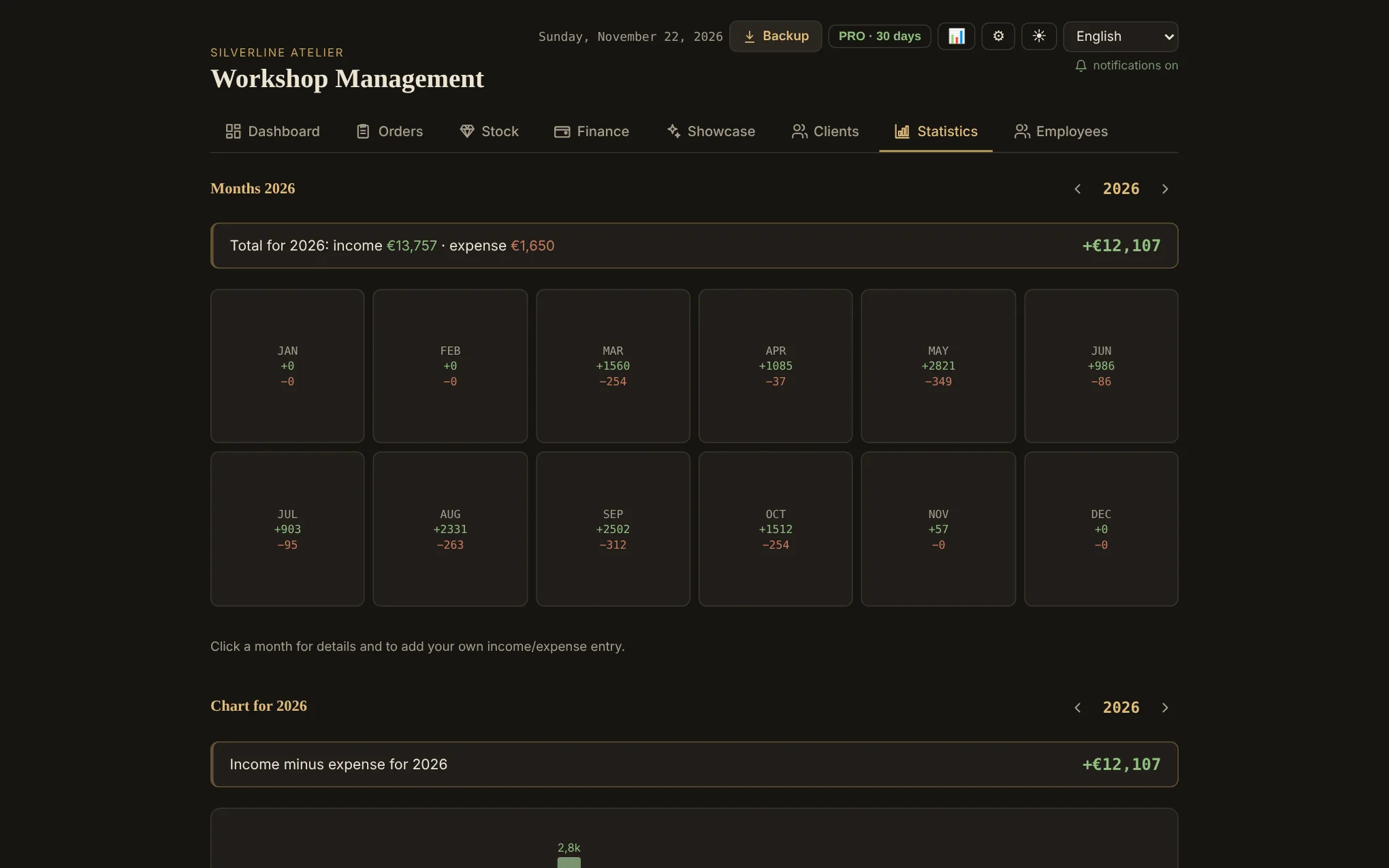
Income and expenses by month, the share of repairs against manufacture, and an Excel report of the whole workshop for your accountant.

Monthly income and expense statistics for the year

Hand metal and stones to the bench

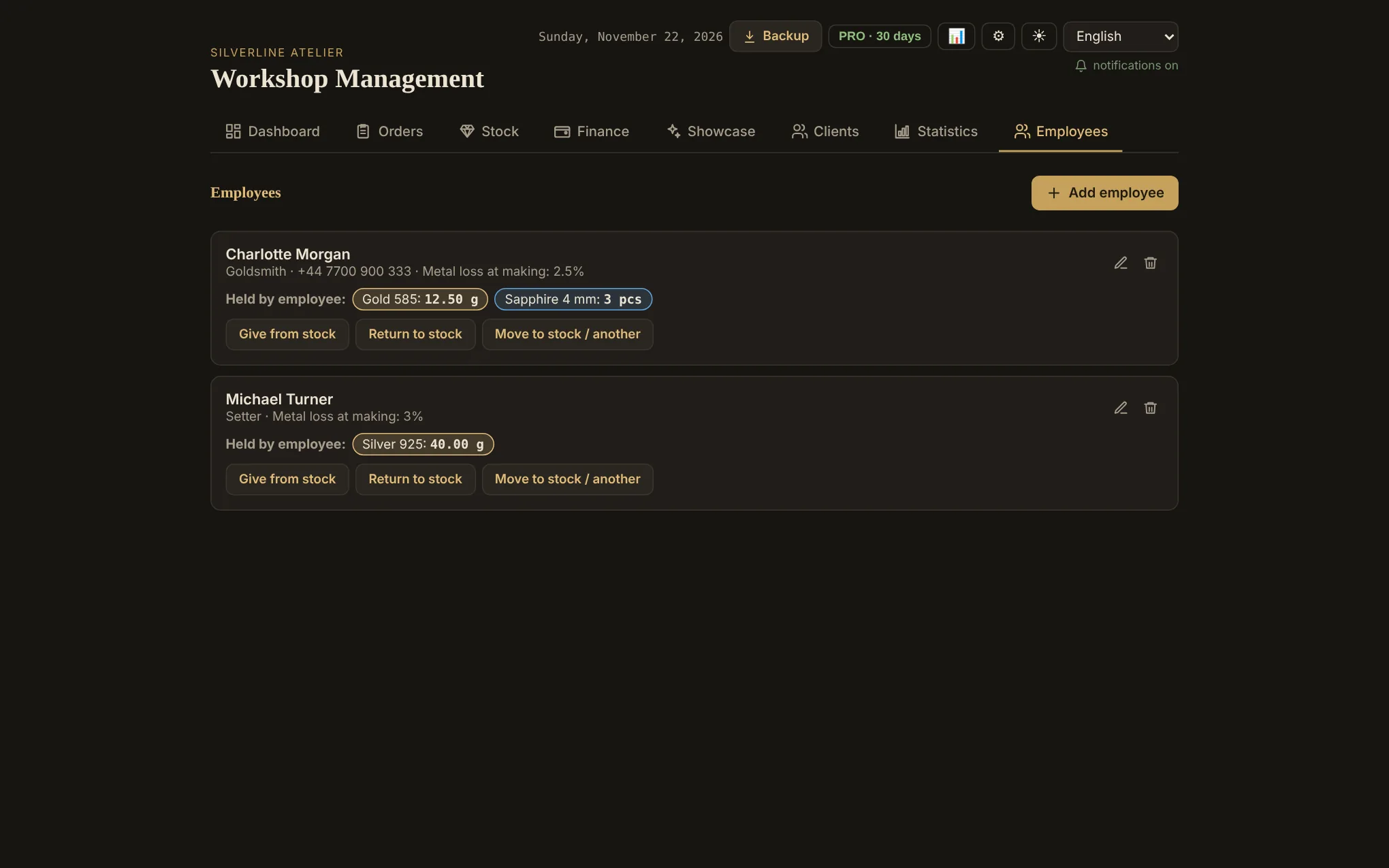
Give materials to a goldsmith, see what each person holds, take it back or pass it to a colleague. Orders show who is working on what.

Employees with the metal and stones each one holds
  • Stones and consumables
  • Showcase pieces
  • One-click backups
  • Light and dark theme
  • Currency of your choice
  • Interface, receipts and SMS in 22 languages

Start in three steps

  1. Download the fileOne HTML file, nothing to install.
  2. Open it in your browserChrome, Edge or Safari. Double-click is enough.
  3. Enter your workshop detailsName, address, hours, deposit. Then add your first order.

Your data stays on your computer

No account, no tracking. Everything is stored in your own browser. Two things ever go online: the optional lookup of metal prices, and, if you subscribe, a once-a-day check that the subscription is paid. Your orders, clients and figures never leave the computer.

Client data is personal data. Turn on disk encryption on your computer and keep your backups private.

Questions

Does it need the internet?

Only for live metal prices, and those are optional. Everything else works offline.

Where is my data?

In the browser on the computer where you use it. Always open the same file in the same browser, do not clear site data and use the Backup button regularly.

Can I use it on two computers?

Each installation keeps its own data. Move data between them with Backup and Restore. A subscription covers one installation only, so a second computer needs its own.

What happens after the 30 days?

The core stays free. Pro and Employees features lock until you subscribe. Nothing is deleted.

How do I update?

Download the new file and replace the old one in the same folder under the same name. Make a backup first. Your data stays.

Is it for one person or a team?

It runs on one computer. The Employees tab tracks which metal and stones each person holds and which orders they work on. It does not create separate logins.